
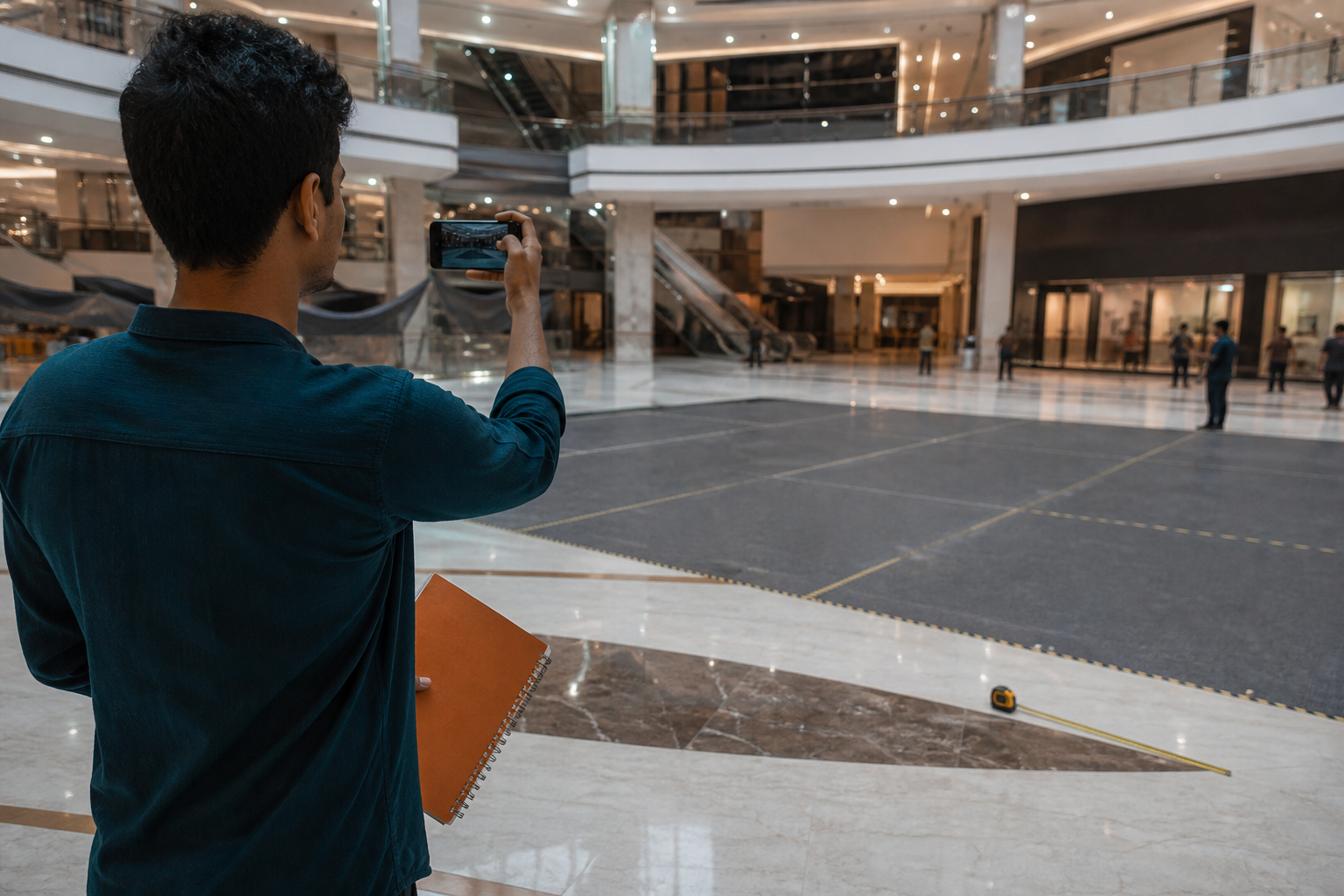
The situation
An electronics brand books a centre-court mall activation across three cities for a launch weekend. Creatives are approved. Fabrication starts. Two days before go-live, the local team discovers the court has a temporary stage for another event and available power is on the opposite side of the atrium.
This use case walks through how a digital recce workflow would have caught that earlier—and what information a good recce record should contain so brand, agency, and fabrication share one truth.
Why spreadsheet photo dumps fail
Typical failure pattern:
- Someone visits the mall and sends 20 WhatsApp images.
- Nobody labels which image is “power point” vs “branding height limit.”
- Fabrication builds to an old floor plan.
- On install morning, the court is shorter than the 3D render assumed.
Recce is not tourism. It is decision data for build and staffing.
What to capture on a mall recce (checklist)
Use the same checklist every time so cities stay comparable:
- Court dimensions and clear height
- Power type, distance, and overnight access
- Load-in path (service lift, timing windows, security rules)
- Noise / music limits and neighbour tenants
- Brand visibility angles from main footfall paths
- Backup floor option if the primary court is blocked
- Photos with captions tied to each checklist item—not a random gallery
How digital recce changes the timeline
| Without structured recce | With digital recce |
|---|---|
| Issues found on install day | Issues found before fabrication lock |
| Arguments over “which photo” | One visit record with status: draft → submitted → approved |
| City teams invent their own notes | Shared template across India |
Example decision tree after recce submit
- If power is >20m away → revise electrical plan or move court
- If height < planned tower → switch to low-profile kiosk kit
- If NOC window is evenings only → change install crew shift
- If primary court blocked → activate backup zone already documented
What usually goes wrong, and when
Mall activation problems follow a predictable timeline. Most of them can be seen early if someone is looking for them.
- At booking: the court is confirmed, but not the other events planned in the same space or the mall's rules on sound, sampling and installation hours.
- At design: the 3D render uses a standard floor plan instead of measured dimensions, clear height and pillar positions.
- At fabrication: the build is locked before every city has an approved recce, so one city's constraint forces a late change everywhere.
- At load-in: the service lift, entry pass list or overnight work permission differs from what the team assumed.
- On the day: power points are far from the setup and the crew improvises cable runs across walkways.
A recce timeline that protects the launch
- Book the court, then recce straight away. Do not wait for creative approval; the recce should inform the creative.
- Submit one record per mall against the shared checklist, with captioned photos and GPS location.
- Review and approve centrally. An admin checks each record, flags gaps and sends it back if a checklist item is missing.
- Share the approved record with the brand, the fabricator and the city lead so everyone builds to the same numbers.
- Lock fabrication only when every city is approved. A city still in draft is a risk to the whole launch.
- Re-check before load-in for anything that may have changed: a new tenant, a temporary stage or revised mall timings.
Who uses the recce record
| Role | What they need from it |
|---|---|
| Brand manager | Confidence that each city is ready, and visibility of trade-offs before money is spent |
| Agency producer | One approved source to brief design, fabrication and crew |
| Fabricator | Measured dimensions, clear height, load-in path and timing windows |
| City lead | Mall contacts, permissions, the power plan and the backup zone |
How to measure whether recce is working
Recce is worth the effort only if it changes outcomes. Track a few simple measures across launches:
- Share of sites with an approved recce before fabrication lock
- Issues found before lock versus issues found on install day
- Late design changes caused by site conditions
- Time from recce visit to approval
- Install-day delays logged in the field report
If install-day surprises keep appearing, the checklist is missing an item. Add it once, and every city benefits on the next launch.
Tools and process
Category tools exist for survey and signage recce. For activation teams, the requirement is simpler: mobile capture + admin review + client-visible report. Clogik’s Recce Management System is built for that loop. Pair it with brand activations when the format is mall or experiential.
For field teams that need GPS and time-stamped photo proof across many sites, Clogik's Proofield app takes each site from recce to approval to installation on a live dashboard. During the activation itself, field reporting keeps every city on the same daily template. For the same workflow applied to expo stands, read digital recce for mall activations and expo booths.
Takeaway
If your launch depends on physical space, treat recce like QA—not like a formality. The cheapest activation fix is the one that happens before wood is cut.
Plan an on-ground campaign
Share your objective, cities, and timeline with Clogik.
WhatsApp Clogik ↗Frequently asked questions
What is a digital recce for a mall activation?
A structured site visit recorded on a mobile app: dimensions, clear height, power, load-in path, permissions and captioned GPS photos, reviewed and approved before fabrication.
When should a mall recce happen?
As soon as the court is booked and before design and fabrication are locked, with a short re-check before load-in.
What should a mall recce checklist include?
Court dimensions and clear height, power type and distance, load-in path and timings, sound limits, sight lines from footfall paths, a backup zone and captioned photos per item.
Why not just share recce photos on WhatsApp?
Uncaptioned photos without measurements or an approval status get lost and misread. A structured record gives every team the same approved data.
Can one recce template work across cities?
Yes, and it should. The same checklist in every city makes sites comparable and lets the central team spot gaps quickly.
How does Clogik support mall activations?
With the Recce Management System before go-live, playable formats such as walls and games on the floor, and field reporting while the activation runs.